Notify agent or manager when SLA is failed
You can configure any notifications about failing of SLA metrics in your ticketing system. This allows not only the ticket assignee but also a team lead or manager to be notified when an SLA metric is not met.
This article explains how to configure an SLA policy that sends notifications when reply or resolution targets are breached.
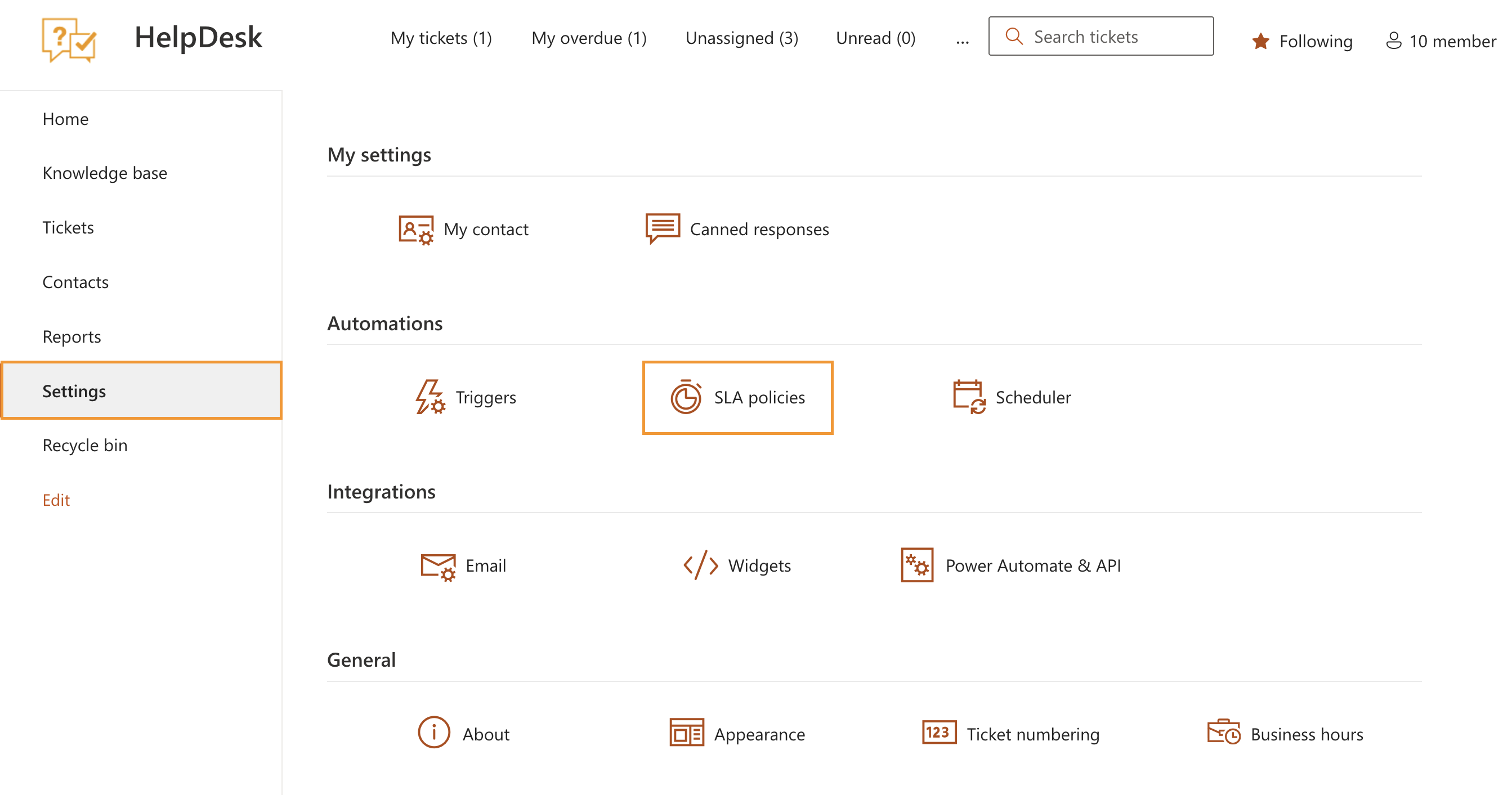
First, navigate to Settings and click SLA policies.
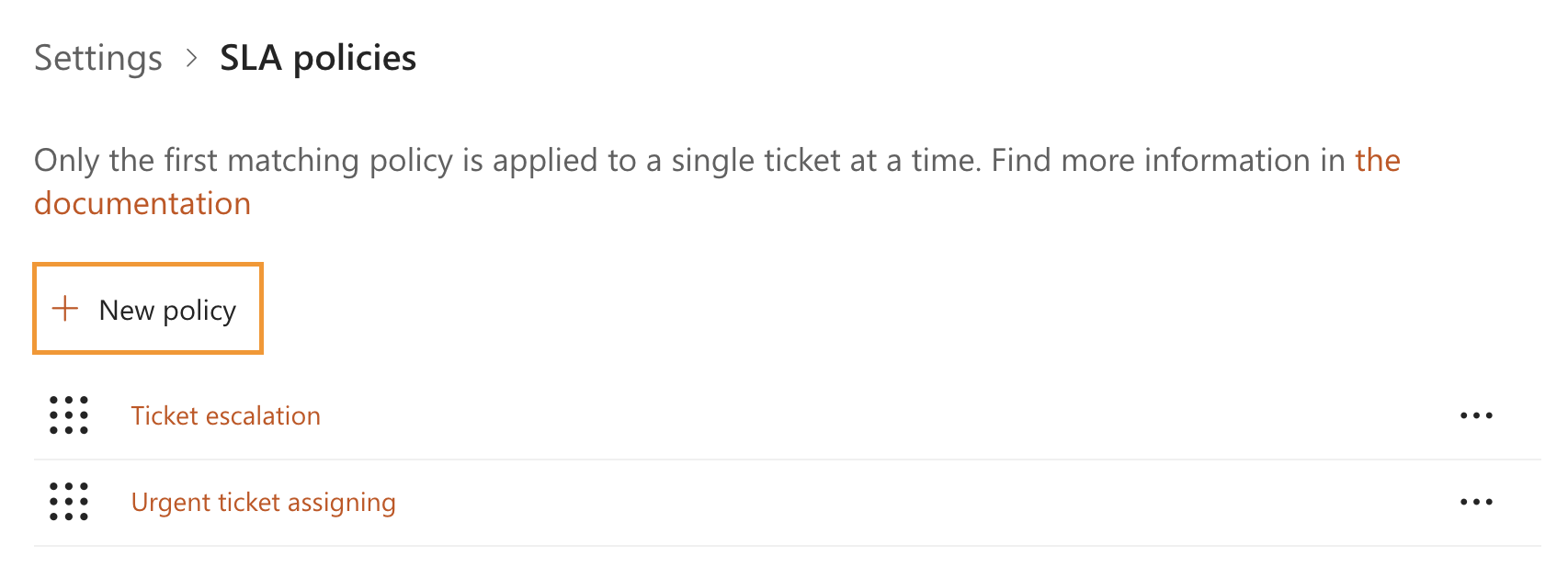
Create a new SLA policy by clicking New policy. Alternatively, you can edit an existing SLA policy and add an additional notification recipient.
Enter a name for the SLA policy. Conditions are optional and are not required for this scenario.
Next, define target times and failure actions for each SLA metric. In this example:
First reply time: 8 business hours
Next reply time: 8 business hours
Resolution time: 24 business hours
Note
Learn how to set up Business hours and holidays for your company.
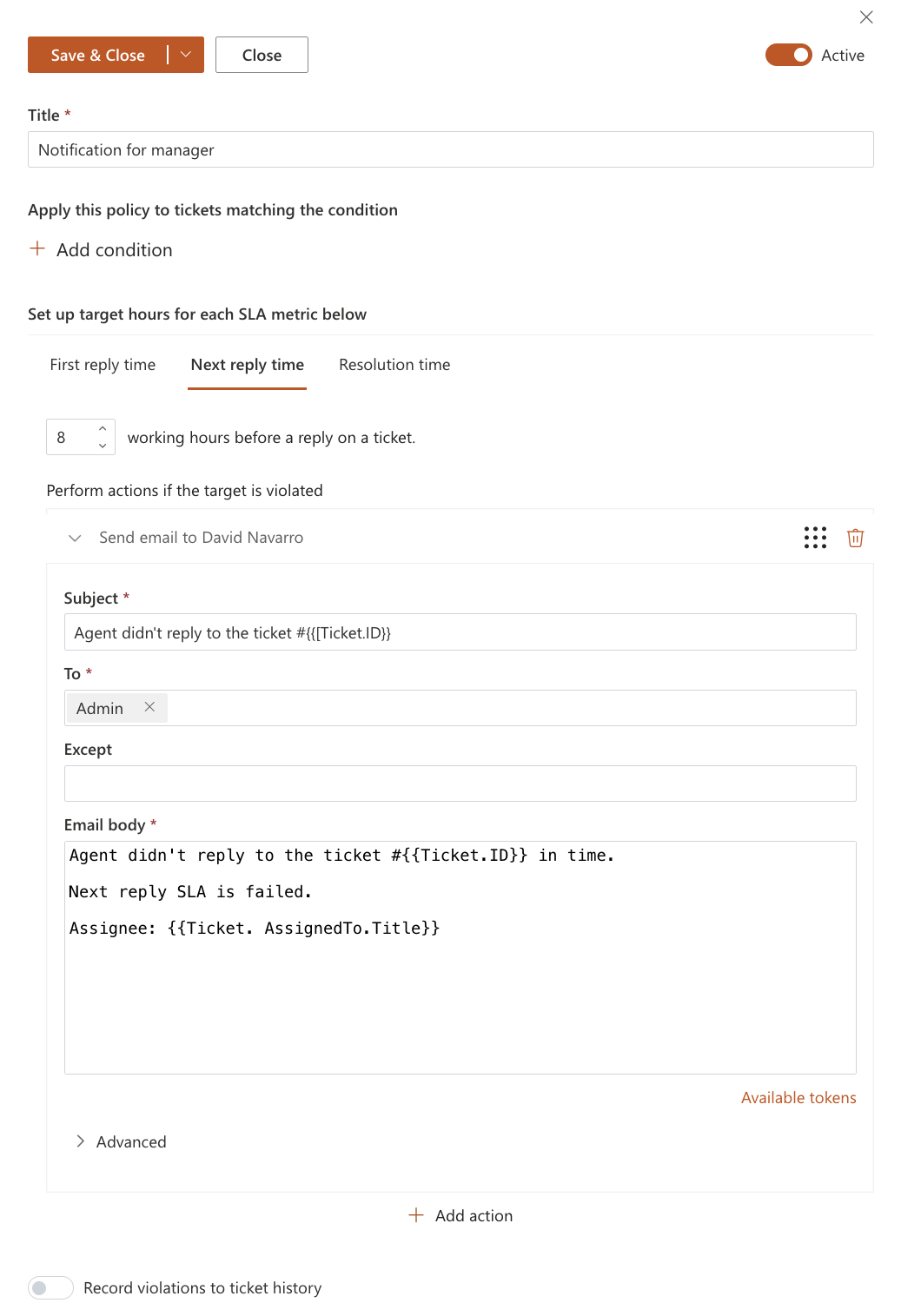
For each metric, configure a Send email action that will be triggered when the target time is not met.
In the To field, specify who should receive the notification. This can be an administrator, team lead, or manager.
You can use tokens in the email subject and body to include ticket details, such as ticket ID, subject, requester, or assignee. This helps recipients quickly understand the context of the notification.
Related articles: